Als Awesome Apps
Apps
Al’s Awesome Alarm
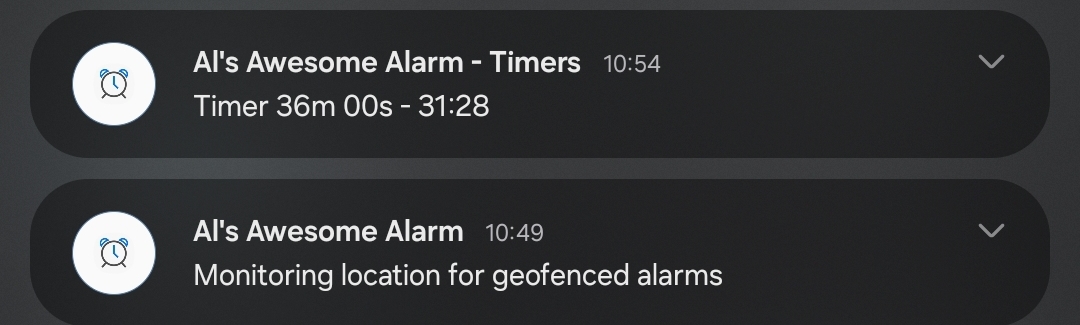
Our (Ok, my) first awesome app. Al’s Awesome Alarm is a clock, timer, and alarm app inspired by the “Clock” app by Google, included on most Android devices. I’ve been a happy “power user” of the Google app for many years, but my love turned sour when life took a turn and I had to start commuting again.
To make a long story short, I had an alarm set to go off every morning reminding me that I did in fact have to leave for work, and couldn’t spend the time working on an awesome app or reading another chapter of The Stormlight Archive. I usually left before this alarm went off, and usually remembered to disable it.
But not always.
When an alarm starts blaring, cutting through my music on the way to work, it’s an unwelcome and jarring experience.
Being a developer, I decided I didn’t have to put up with this and I resolved to make my own alarm app with geofencing support: Enabling some alarms only within certain areas, disabling other alarms when within certain areas. Of course, I couldn’t help but add more useful features as I worked on the app.
Al’s Awesome Alarm is the result.
Special Features
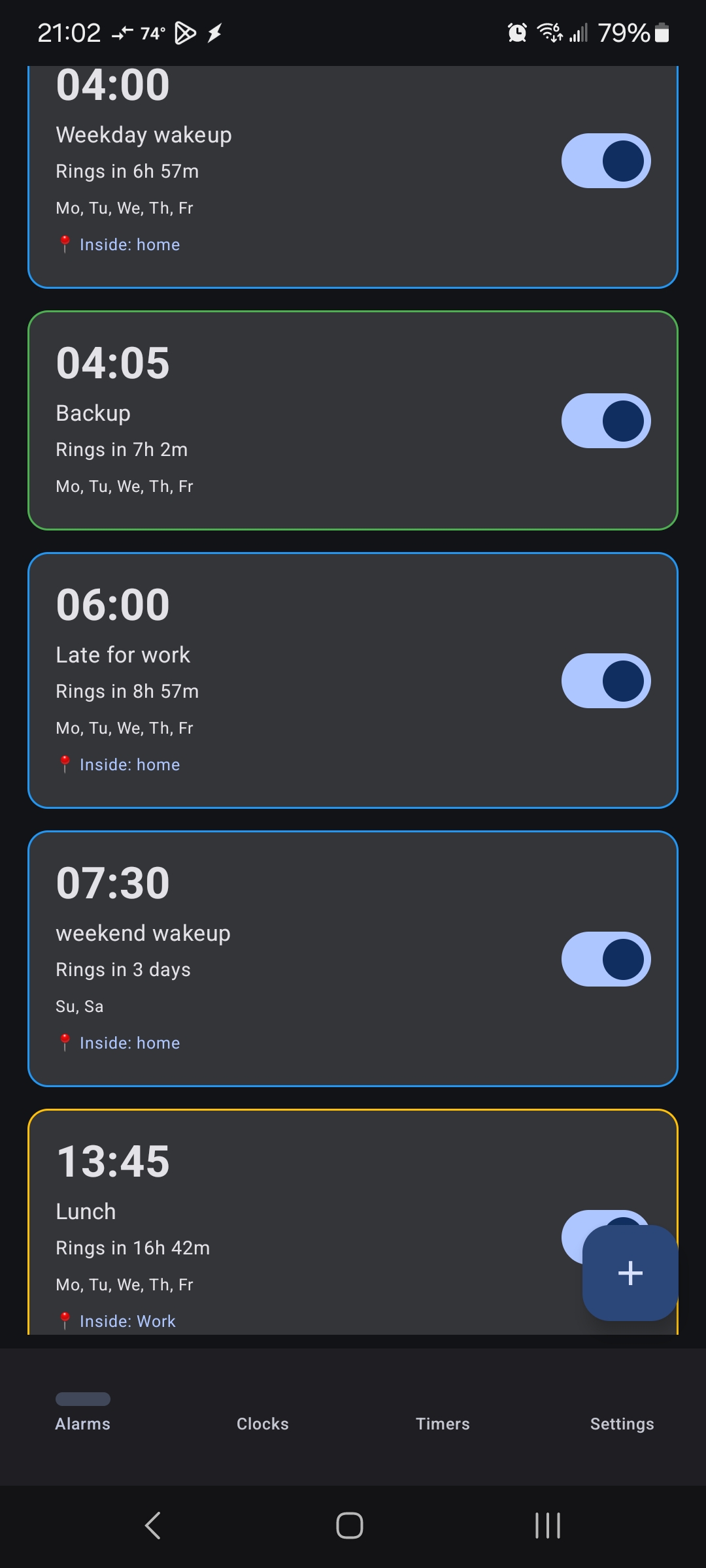
- Geofencing Alarms can be automatically enabled and disabled based on your location, on an individual basis. Multiple geofences can be assigned to a single alarm; each alarm can be set to be active only when you are within any of them, or active whenever when you are not within any of them.
- Nonstandard Intervals Need an alarm that goes off every 5 hours? Every 11 days? Every 5 weeks? Now you can. Al’s Awesome Alarm also has support for biweekly alarms, monthly alarms (same calendar day, or e.g. 2nd Monday), and more.
- Auto Silence Every alarm has its own timeout, after which it will shut off. No more annoying family or neighbors with an alarm that runs indefinitely when you’re not around.
- Snooze Control Every alarm has its own snooze duration, from 0 (no snooze) to 30 minutes, in 1 minute increments.
Standard Features
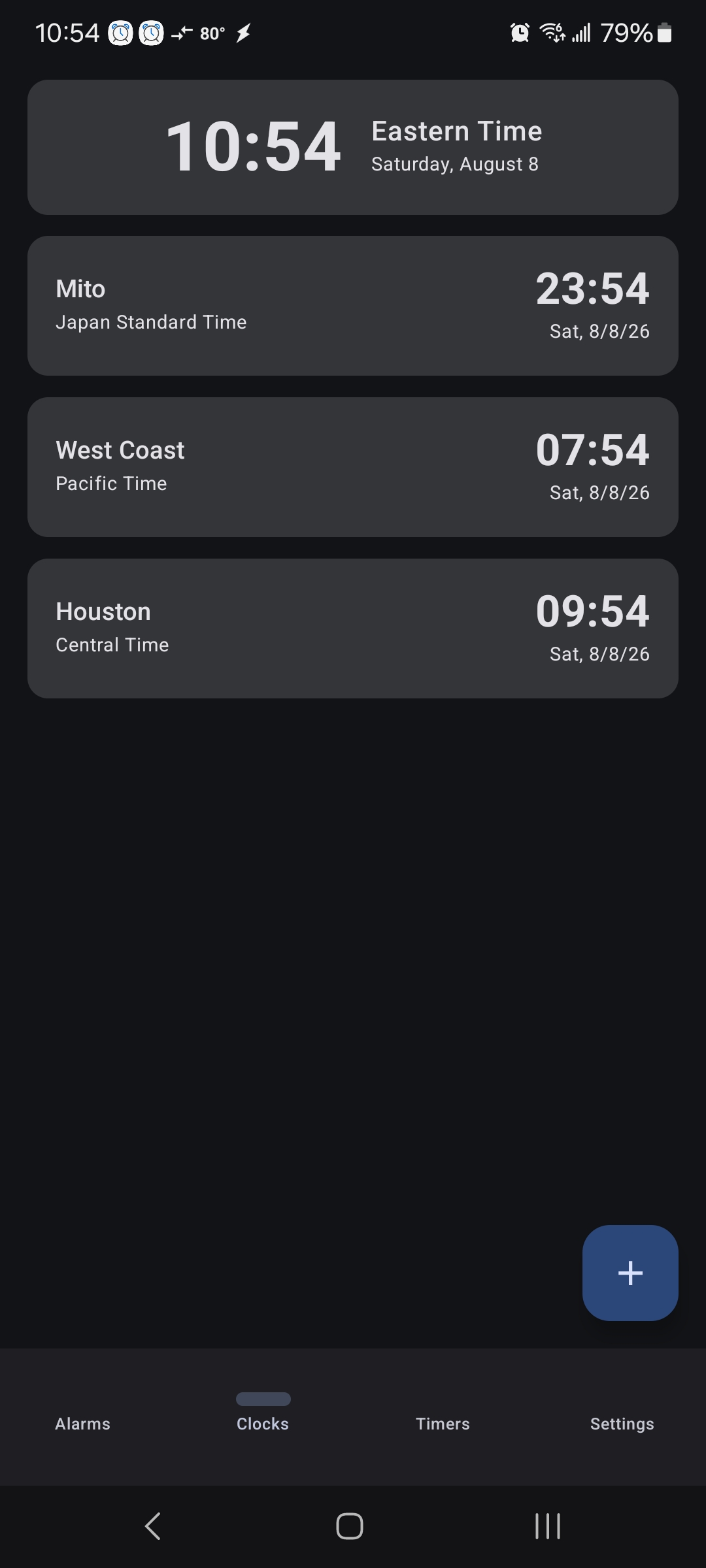
- Clocks The system clock is shown at the top of the page, with the local date and time zone. Add as many clocks below it as you like, in whatever time zones you like.
- Timers Virtually unlimited countdown timers that can be started, stopped, paused, resumed, and reset. Running timers have a green border, paused timers a yellow border.
- Intervals Alarms can use any normal interval you’d expect. You can set an alarm to fire only once, every day, every week on whatever weekdays you prefer, or biweekly on the same day (e.g. every other Monday).
Usage
I’ve tried to make the app intuitive and self-explanatory, but there are one or two things that may not be clear the first time you use them.
- The geofencing modes are called “inclusion” and “exclusion”. An alarm in “inclusion” mode will be active whenever you are in any assigned geofence, while an alarm in exclusion mode will be active whenever you are anywhere except in an assigned geofence. Geofences are seen as “chips” in each alarm and toggled by tapping them.
- Geofences must be created in the settings page before they can be assigned to an alarm. I plan to remedy this in a future update, allowing you to create a new geofence from the alarm editing screen.
- Some alarm types like “biweekly” require a start date. This is because an alarm you want to go off “every other tuesday” might need to start this tuesday, or the tuesday after. You set the start date by tapping the “first occurrence” button in the alarm editor.
- Alarm colors: Disabled alarms have no border. Enabled alarms with no geofence have a green border. Enabled alarms with a geofence have a blue border if the alarm is currently active according to the geofence settings, or yellow if it is inactive due to the geofence settings.
Planned Features
- A stopwatch feature, similar to the one in the Google app, but of course with my own twists.
- Complex per-alarm acknowledgement modes like puzzles, quizzes, and so on.
Known Issues
- Clocks cannot currently be reordered.
- Many features I and others want aren’t yet implemented.
Requirements
- An Android device running SDK 27 (Android 8.1, Oreo) or higher.
- Location services enabled, if you want geofenced alarms.
Credits
- The icon is alarm-clock-ring-reminder on Pixabay by inspire-studio.
- Mapbox is used in the app for creating and editing geofences. I did want to use Google Maps for a more familiar user experience, but Google is making it more and more difficult for indie developers like me to develop Android apps and use their APIs every day.
- This page was built with Hugo and uses the Hextra theme.
Contact
We can be reached at the following mailboxes at this domain:
- suggestions - To make a suggestion for one of our apps.
- support - For help.
- bugs - To report bugs.
- bizdev - If you want your email address to be automatically blocked because you’re a bot who scraped this.
Note: You should never actually email bizdev@alsawesomeapps.com because doing so will cause your email to automatically be marked as spam and your email address to be silently blocked.