Als Awesome Apps - Privacy Policy
Privacy Policy
TL;DR
We do not intentionally collect any data via our website or apps.
None at all.
We don’t know your name or any demographic data about you, and we don’t want to.
Any information we have about you, was sent to us without us knowing, and without us requesting it. The data we access on your device, such as screen resolution, geographic location (if you use geofencing), time, etc., are only used within the app itself to provide functionality; we do not send any of it to anyone off the device, including ourselves.
Sorry if even that sounds too hedged; We aren’t intentionally collecting any data about you at all, but data leaks in so many different directions from so many different sources these days, we have to put forth at least a minimal effort to cover us from frivolous lawsuits.
Website
Cookies
The website does not use any cookies. There is no user account creation, no social media interaction, no comment area or forum, nothing.
Logging
Our web server, like virtually all web servers, logs network connections and requests. These logs are not kept or archived on our end and are completely ephemeral; once they expire out of the Docker console output buffer (scroll off the virtual screen), they’re gone. We do not intentionally log any of our web traffic to any sort of persistent storage.
Al’s Awesome Alarm app
General location information
The app periodically requests your location if you are using geofence enabled alarms, because it has to, for geofencing to function. Neither your location nor the locations of any of your geofences are ever sent anywhere, though they will appear in the Android logcat output if you connect adb for logging.
If you contact us for support with a geofence issue, we may ask you for this log information. You’re free to provide it, redacted or not, at your discretion.
Mapbox location telemetry
The app uses Mapbox which gathers telemetry. This is turned on by default. If you’re unhappy with their privacy policy, you can opt out:
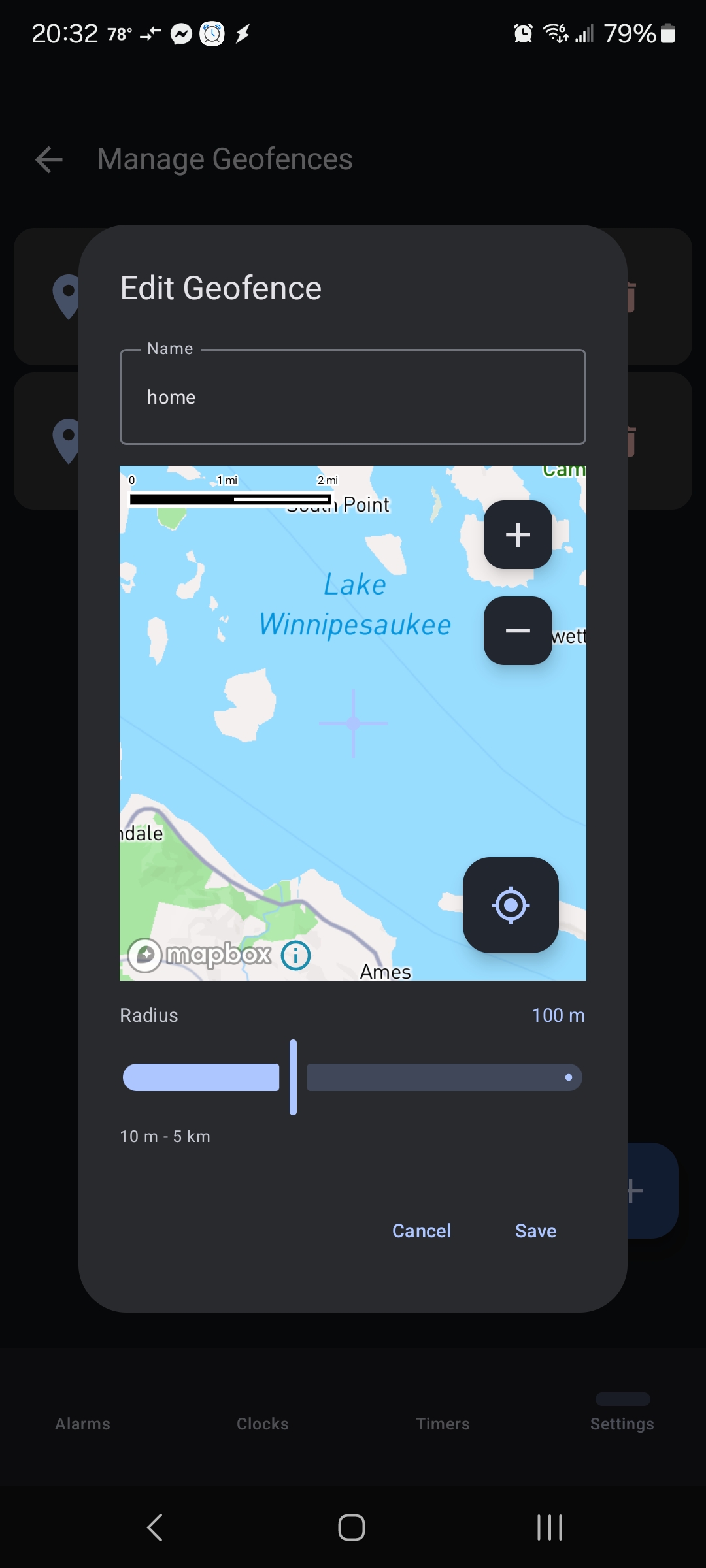
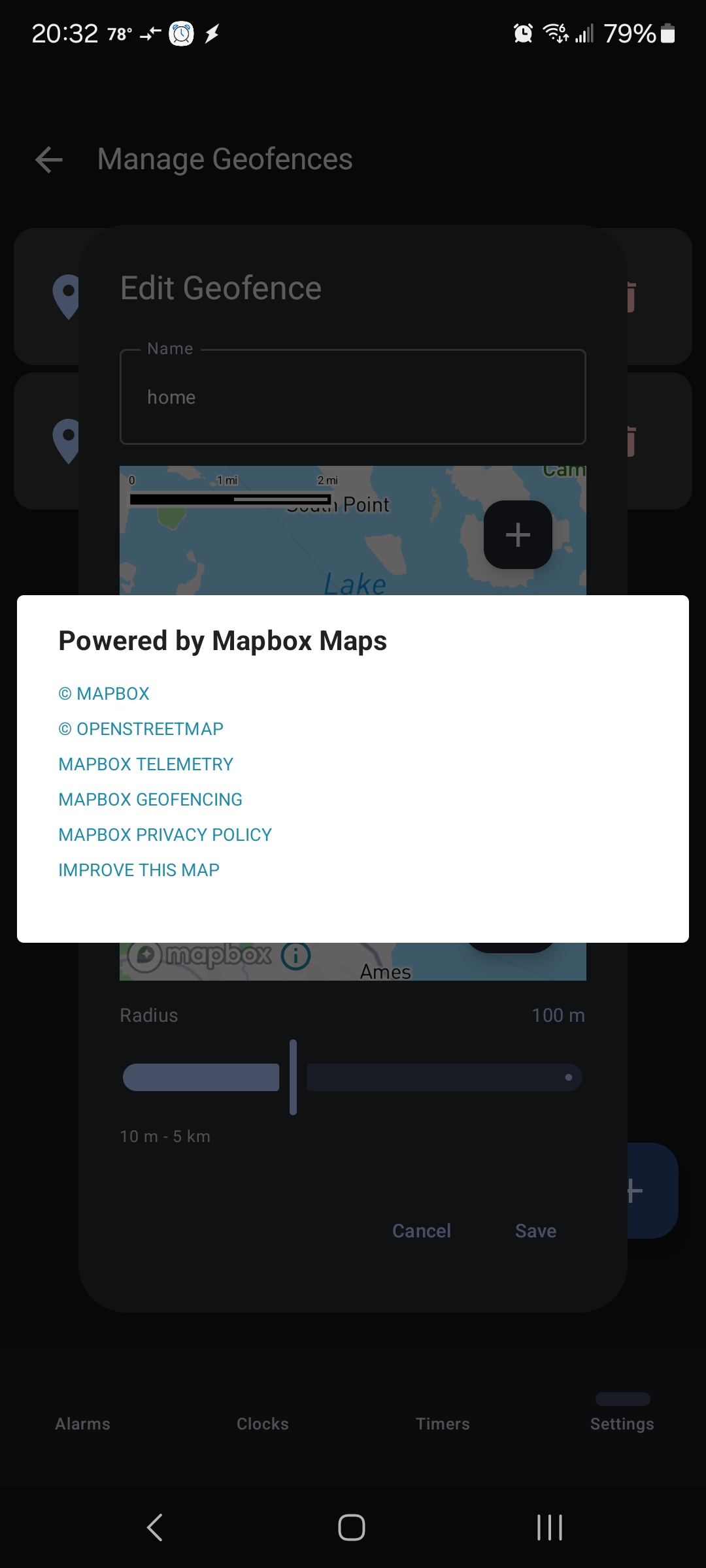
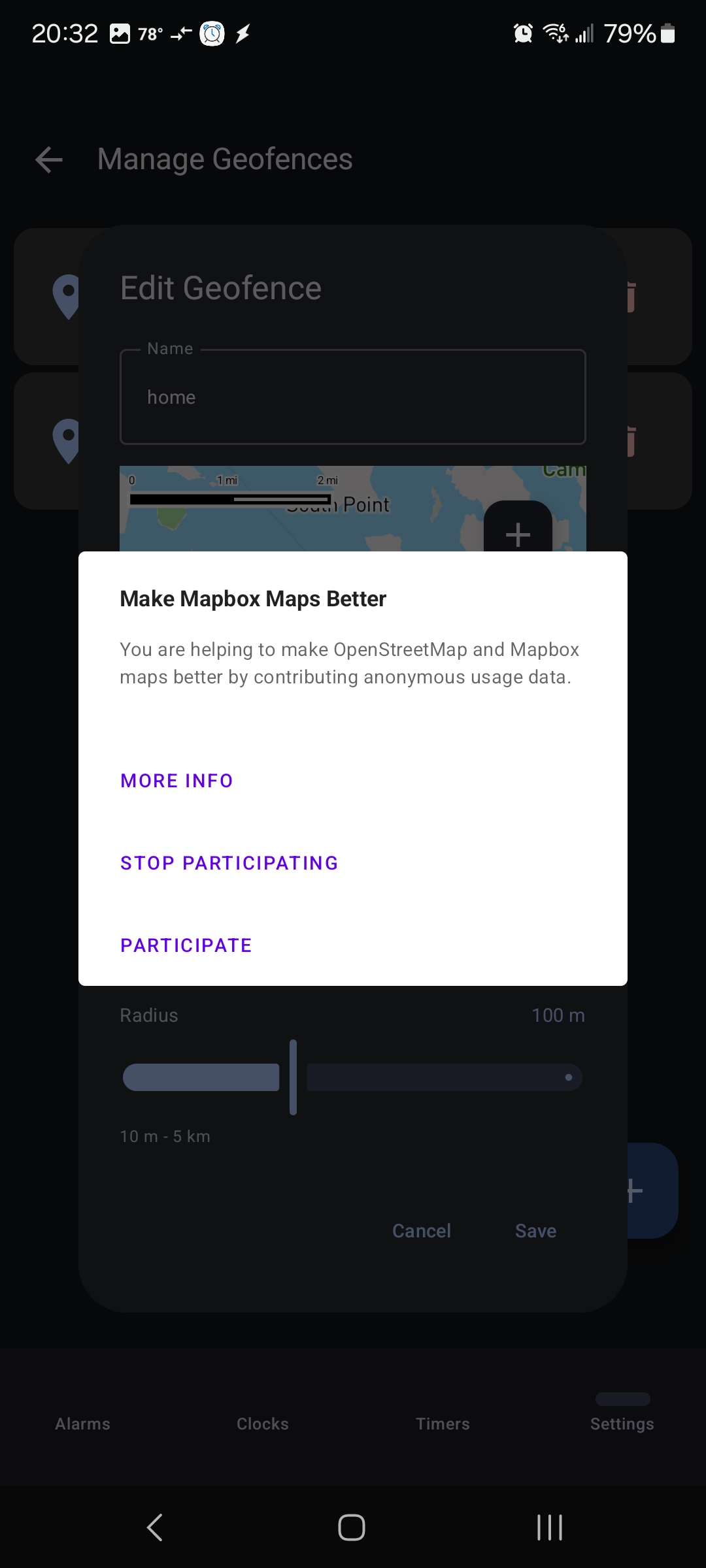
Opt-out: Step 1
Open the geofence manager on the settings tab of the app.
Opt-out: Step 2
Tap the small blue circled “i” icon.
Opt-out: Step 3
Tap the “MAPBOX TELEMETRY” link.
Opt-out: Step 4
Tap “STOP PARTICIPATING”
Use of data we (don’t) collect
None of the data we “collect”, accidentally or incidentally, will ever be used for marketing, promotional messaging, spam, UCE, or any other annoying garbage. It will not be given or sold, ever, to anyone.
If you ever email us, your email address will only be used by a human to reply to your message.